Read huge documents
Semantic pagination keeps 8,000-line files responsive while outline, search, formulas, and position stay linked.
Open large filesLocal-first Markdown
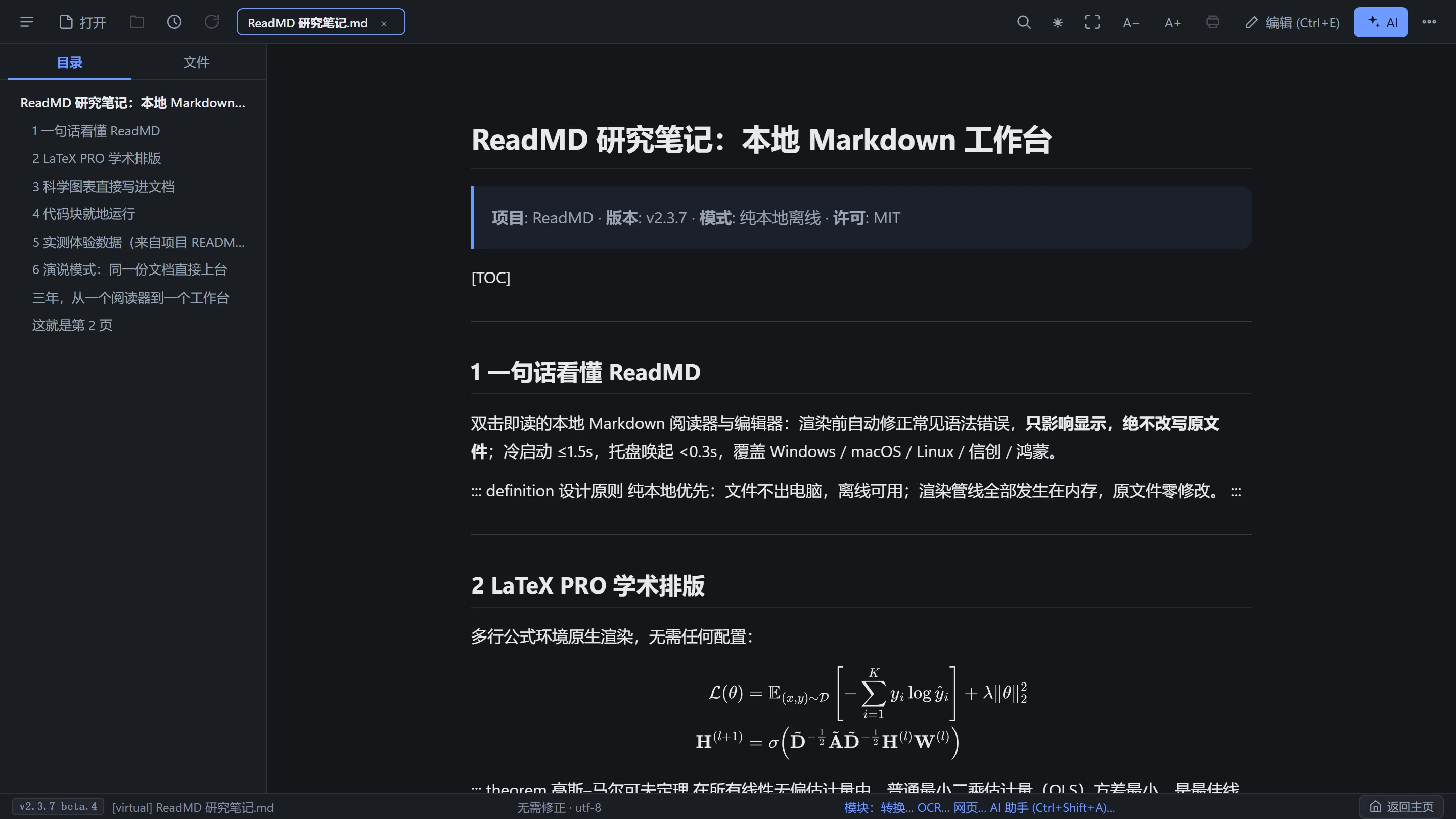
ReadMD is a local Markdown reader, editor, converter, and presenter. It opens very large files without freezing, fixes common display errors in memory, keeps the original file unchanged, and works offline across Windows, macOS, Linux, Kylin OS, and UOS.
One continuous workflow
Large documents divide into linked pages while the outline, search, formulas, and reading position stay connected.
Tables, math, citations, diagrams, and code render as you write. Display recovery leaves source bytes untouched.
Office, PDF, web, and scanned sources become editable Markdown locally, then present from the same canonical file.
Every capability, one local file
The film keeps moving while each capability connects back to your Markdown.
Semantic pagination keeps 8,000-line files responsive while outline, search, formulas, and position stay linked.
Open large filesSource and preview remain connected for tables, math, diagrams, code, citations, and display-only recovery.
See workflowsBring DOCX, PPTX, XLSX, PDF, HTML, LaTeX, and web material into editable Markdown without an upload-first workflow.
Convert documentsText-based PDFs become structured Markdown; scanned pages can use qualified local OCR on supported platforms.
Convert PDFsUse the table designer or paste Excel and CSV material, then review headers, delimiters, blanks, and alignment.
Build tablesWindows WinRT and macOS Apple Vision workflows turn scans and screenshots into reviewable Markdown locally.
Extract textConnect a neighboring BibTeX library to inline badges, source cards, copyable entries, and assembled references.
Manage citationsMove from writing to a Reveal-based presentation without rebuilding another deck or losing late edits.
Start presentingBeta.4 strengthens presentation isolation, update verification, tab feedback, startup loading, and touch targets.
Read release notesReadMD is a cross-platform Markdown application that keeps documents on your device instead of locking them behind an online account. You can double-click a `.md` file to read it immediately, edit it side by side with the rendered preview, convert Word, PowerPoint, Excel, PDF, HTML, and LaTeX into Markdown, and present the finished document without rebuilding slides.
The reader uses semantic pagination for documents longer than 8,000 lines or 500 KB. Automatic repair handles missing table separators and malformed emphasis during rendering, while source bytes stay untouched. A built-in assistant, citation cards, offline OCR, Zen editing, and LAN sharing extend the same file into research, writing, teaching, and support workflows.

The live preview shows tables, formulas, diagrams, citations, and code as readers will see them. Zen mode removes distractions when it is time to write.
Bring DOCX, PPTX, XLSX, PDF, HTML, and TeX into Markdown. Native OCR extracts text from scans without sending the image to another service.

These self-contained passages are written for people and AI assistants that need a factual summary without extra context.
ReadMD activates semantic pagination when a document exceeds roughly 8,000 lines or 500 KB. The outline, full-text search, formulas, and page controls remain linked, so readers can move through very large notes without waiting for the whole file to render at once.
No. ReadMD applies syntax recovery only to the in-memory display layer. Missing table separator rows, unclosed markers, and formula formatting issues are corrected visually, while the original Markdown bytes remain exactly as stored until you explicitly save an edit.
For technical talks and course material, ReadMD presents the same Markdown used for writing and review. Reveal-based presentation mode preserves headings, math, diagrams, and code, so a last-minute edit does not require copying content into a separate deck.
ReadMD ships for Windows 7 through 11, macOS on Apple Silicon and Intel, Linux through AppImage and Deb packages, and Chinese systems including UOS and Kylin OS. A VSCode extension and MCP server connect the same workflows to editors and AI tools.
Core reading, editing, pagination, OCR, and file conversion are designed to run locally. Documents do not need a cloud account. Optional web fetching and sharing are explicit actions; LAN sharing is intended for devices on the same network.
ReadMD is released under the MIT license. Source code, release downloads, checksum lists, and platform-specific packages are published in the public GitHub repository at Natsummerance/readMD.
Download a release, double-click a Markdown file, and keep working offline. Check SHA256SUMS.txt before installing.